Design. Retouch. Edit.
One Mac app.
Free · Apple Silicon · macOS 26 or later · 12 MB
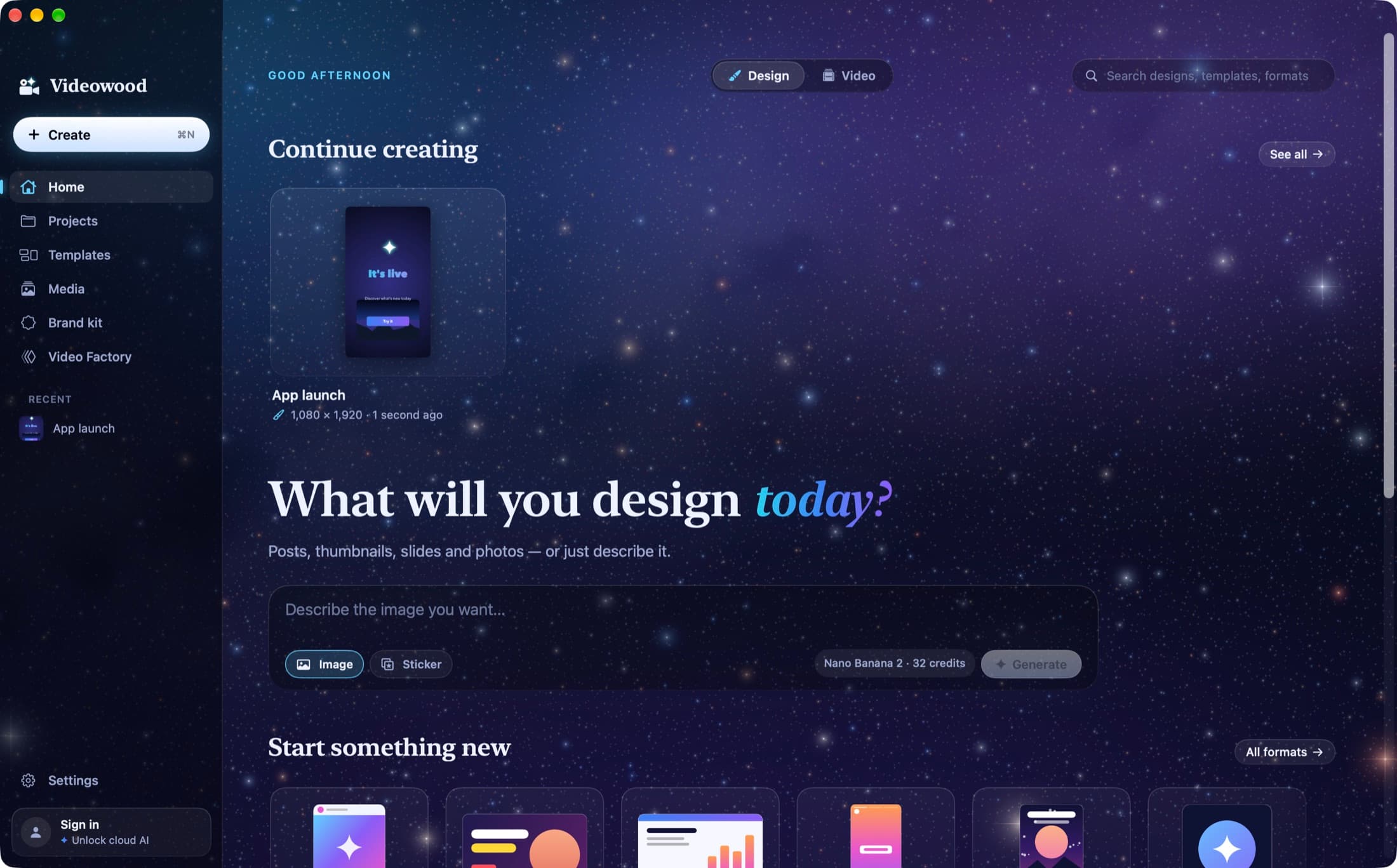
Every format
Drawn at its real shape. Pick one and start, or type your own size.
TikTok video
1080 × 1920 px
YouTube video
1920 × 1080 px
Instagram post
1080 × 1350 px
Story
1080 × 1920 px
Presentation
1920 × 1080 px
YouTube thumbnail
1280 × 720 px
Logo
500 × 500 px
A4 poster
2480 × 3508 px
LinkedIn banner
1584 × 396 px
Pinterest pin
1000 × 1500 px
TikTok video
1080 × 1920 px
YouTube video
1920 × 1080 px
Instagram post
1080 × 1350 px
Story
1080 × 1920 px
Presentation
1920 × 1080 px
YouTube thumbnail
1280 × 720 px
Logo
500 × 500 px
A4 poster
2480 × 3508 px
LinkedIn banner
1584 × 396 px
Pinterest pin
1000 × 1500 px
YouTube thumbnail
1280 × 720 px
Logo
500 × 500 px
A4 poster
2480 × 3508 px
LinkedIn banner
1584 × 396 px
Pinterest pin
1000 × 1500 px
TikTok video
1080 × 1920 px
YouTube video
1920 × 1080 px
Instagram post
1080 × 1350 px
Story
1080 × 1920 px
Presentation
1920 × 1080 px
YouTube thumbnail
1280 × 720 px
Logo
500 × 500 px
A4 poster
2480 × 3508 px
LinkedIn banner
1584 × 396 px
Pinterest pin
1000 × 1500 px
TikTok video
1080 × 1920 px
YouTube video
1920 × 1080 px
Instagram post
1080 × 1350 px
Story
1080 × 1920 px
Presentation
1920 × 1080 px
One window
Three apps you juggle. One you keep.

Design, photo and video in one window, one keystroke apart.
In motion
Watch it work. Then make it yours.
Motion
Motion that feels designed. Not templated.
Every clip below was rendered by Videowood itself: real curves, masked reveals, text that moves by letter, word or line, and motion blur on everything that moves — like a film camera.
Curves, like After Effects
Drag the handles. The card rides your curve.
cubic-bezier(0.16, 1, 0.3, 1)Animate the whole video in one click
Premium, punchy, playful, cinematic, glitch or minimal: every clip gets a motion designer's treatment — hierarchy, timing, curves, landing on the beat. Or let Claude direct it: it plans, watches the frames, and refines.
45 animations · 10 loops · 17 transitions · keyframes with curves
The real app
Not a mockup. Real screens.
A real video editor
Magnetic timeline, keyframes, transitions, speed, green screen, cuts on the beat, captions per phrase. Export 4K, GIF or just the sound.
Text that moves
45 entrances and exits, 10 loops, by letter, word or line — on curves you shape, with motion blur.
Remove a background. Then perfect it.
One click on your Mac, then a brush to erase more or bring the original back. Nothing is ever lost.
Pro retouching, when you want it
Layers, blend modes, curves, levels, masks, healing, clone stamp, magic wand, content-aware fill.
Start anything in a click
Every format at its real shape, or your own size. Drop a file and you're already in the right editor.
Switch in one keystroke
Open a clip's frame in the design editor, retouch it, press ⌘2: the timeline already has it. Keyframes, captions and animations live side by side.
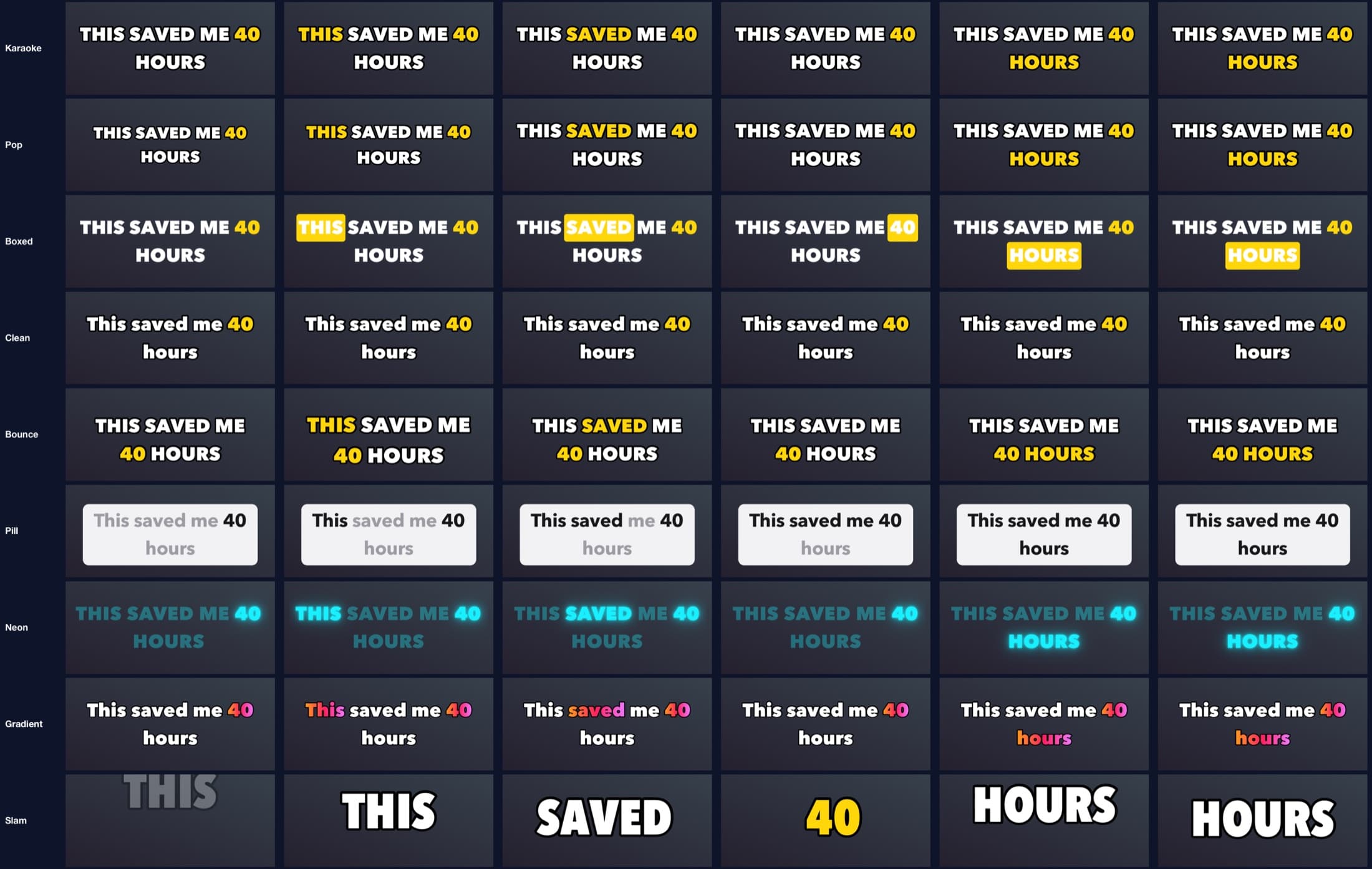
Captions
Captions that land when they’re said. Free.
- One caption per phrase, cut where the voice pauses — just like on your phone.
- Every line listed: click one to jump there, type to fix it.
- Nine looks, from karaoke to pill, neon, gradient and slam, and key words that stay lit.
- Transcribed on your Mac in 20 languages. Nothing uploaded, zero credits.
Did you know…
THE STARS YOU
SEE MIGHT NOT
EXIST ANYMORE
New in 3.0
What an editor does by hand. Done for you.
Sound that mixes itself
Music drops under the voice and comes back in the pauses. Voices are cleaned and brought to broadcast level, in one click.
Ready-made blocks
Name straps, a follow card, a notification, a number that counts: one clip each, animated by itself, in your brand's colour.
Titles behind the subject
A word passes behind the speaker, the product or the pet. The subject is found on your Mac, frame by frame.
A last look before export
Words off the frame, unreadable or on top of each other, a black frame, a mix too quiet: found before your viewers do.
Point, don't describe
Select a clip or draw on the frame, then tell Claude Code or Codex what to do with “this”. It sees what you see.
Carousels from an idea
An idea or a link becomes slides, written on your Mac, laid out in your brand kit and exported in order.
12 MB
the whole app
0 %
CPU when you're not working
0 credits
for captions, cutouts and 4K export
55
animations and loops
AI
AI does the grunt work. You create.
An AI composer everywhere
Images, video, voice, music, stickers: describe it and it lands in your project. Nano Banana, GPT Image, Kling, Veo, Seedance, ElevenLabs.
Rough cuts by Claude
Your footage is transcribed on your Mac, then Claude keeps the last good take of each idea and cuts the stumbles. You review, it's cut.
Free on-device tools
Remove backgrounds, split subject and scene, reframe landscape footage for vertical, find the beat, record voice-overs.
Animate with Claude
Pick a look or describe it. Claude directs the motion of every clip, watches the rendered frames, and refines them.
Drive it from Claude or GPT
A built-in MCP server: Claude Code, Claude Desktop or Codex can read your timeline, cut, caption, animate and export.
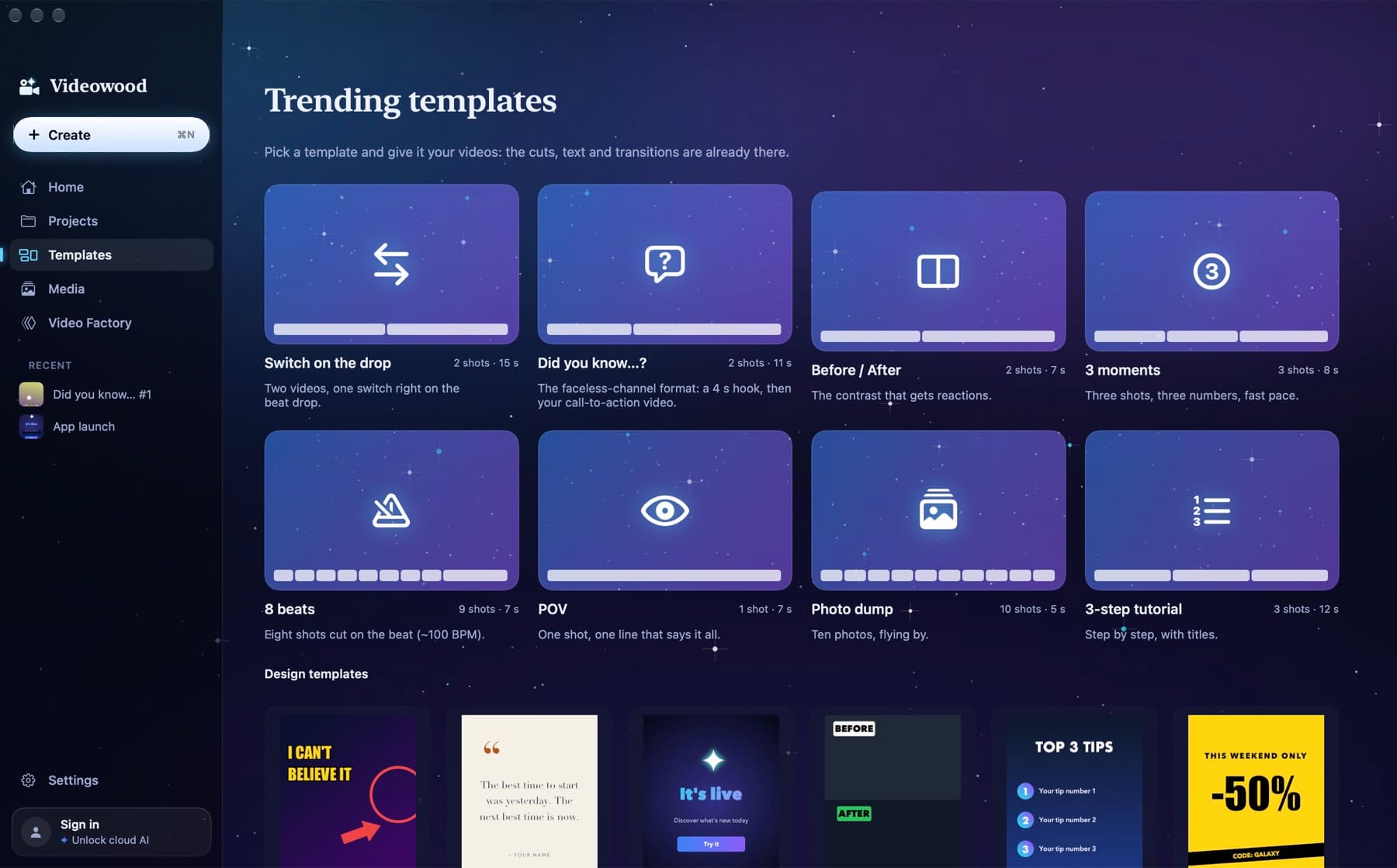
The video factory.
Forty hooks, one ending, one track: Videowood renders forty videos with the same rhythm and schedules them on YouTube, four a day. YouTube publishes them on its own, even with your Mac off.
And for trends, templates like “switch on the drop” or “before / after”: drop in your clips, it's edited.
Free forever, no catch.
Everything that runs on your Mac is free: design, pro retouching, video editing, 4K export, captions, background removal, macOS voices. Your files never leave your Mac, so there's no storage plan to pay for. Paid plans add cloud AI credits, remove the small “✦ Videowood” mark from exports and unlock the premium models. They open in the Mac app soon: until then it runs with your own fal or Anthropic key.
Free on your Mac. Credits for cloud AI.
Creator
- Premium models: Nano Banana Pro, GPT Image 2, Kling 3, Seedance 2
- Clone your own voice
- Private mode: your AI stickers stay yours
Starter
- Exports without the “✦ Videowood” mark
- Cloud AI: Nano Banana 2, Seedream, Flux, H3 Max Turbo, Seedance 1.5, Kling 2.5, Wan 2.5
- ElevenLabs voices, AI music and sound effects
- Claude editing agent and rough cuts
Creator
- Premium models: Nano Banana Pro, GPT Image 2, Kling 3, Seedance 2
- Clone your own voice
- Private mode: your AI stickers stay yours
Ultimate
- Everything in Creator
- Twice the credits of Creator
- Credit packs when a month runs hot